
From Zero to Front-End Hero (Part 2)
A complete guide to learning Front-End development

On this post
- JavaScript basics
- Language
- Interactivity
- Inspector
- Practicing the basics
- Experiment 2
- More JavaScript
- Language
- Imperative vs. Declarative
- Ajax
- jQuery
- ES5 vs. ES6
- More practice
- Experiment 3
- Experiment 4
- JavaScript Frameworks
- Architectural Patterns
- Design Patterns
- AngularJS
- React + Flux
- Practicing with Frameworks
- Experiment 5
- Experiment 6
- Experiment 7
- Stay up to date
- Learn by example
- Styleguides
- Codebases
- Final thoughts
- About this article
This article is the second part of the “From Zero to Front-End Hero” series. In the first part, you learned how to build layouts with HTML and CSS, using some of the best practices. In part two, we’re going to focus on learning JavaScript as a standalone language, adding interactivity to interfaces, JavaScript design, architectural patterns and how to build web applications.
Just like with HTML and CSS, there are thousands of JavaScript tutorials out there. However, especially for someone new to the Front-End world, it’s hard to figure out which tutorials to use and in what order to do them. The main goal of this series is to give you a roadmap to help you learn Front-End.
If you haven’t read the first part yet, do that before you keep reading.
JavaScript basics
JavaScript is a cross-platform programming language that can be used for pretty much anything these days, but we’ll get back to that later, once you understand the basics of how developers use JavaScript for the web.
Language
Before learning how to apply JavaScript on the web, you should learn about the language itself. To start, read the Mozilla Developer Network’s Language basics crash course. This tutorial will teach you the basics of the language, like variables, conditionals and functions.
Then, read the following sections of the MDN JavaScript guide:
Don’t worry too much about memorizing the syntax, you can always look it up. Instead, focus on understanding important concepts like variable instantiation, loops and functions. If the material feels too dense, that’s fine. You can come back to it later. Once you put these concepts into practice, they’ll get a lot clearer.
To break up the monotony of text-based learning, check out the Codecademy JavaScript course. It’s hands-on and fun. Also, if you have time, for each concept listed above, read the matching chapter in Eloquent JavaScript to reinforce your learning. Eloquent JavaScript is a free online book that every aspiring Front-End developer should read.
Interactivity
Now that you have a basic knowledge of JavaScript, the next step is to apply it to the web. To understand how JavaScript interacts with websites, you first have to understand the Document Object Model (DOM)’.
The DOM is a representational structure of HTML documents. It’s a tree structure made of objects that correspond to the HTML nodes. To read more about the DOM, read What is the DOM from CSSTricks. It gives a simple, straightforward explanation of the subject.
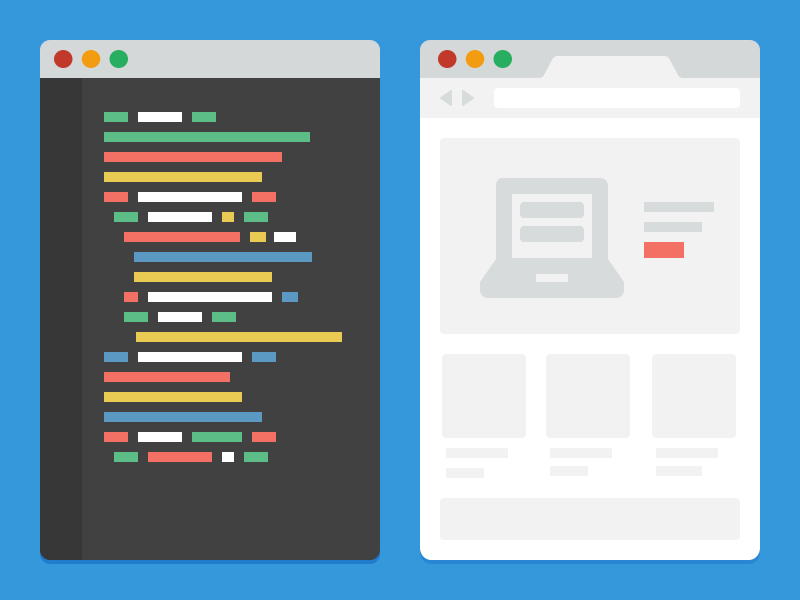
JavaScript interacts with the DOM to change and update it. Here’s an example where we select an HTML element and change its content:
var container = document.getElementById('container');
container.innerHTML = 'New Content!';
Don’t worry, that was just a simple example. You can do a lot more than that by manipulating the DOM with JavaScript. To learn more about using JavaScript to interact with the DOM, read the following MDN sections, The Document Object Model.
- Events
- Examples of web and XML development using the DOM
- How to create a DOM tree
- Introduction to the DOM
- Locating DOM elements using selectors
Once again, focus on the concepts and not the syntax. Be able to answer the following questions:
- What is the DOM?
- How do you query elements?
- How do you add event listeners?
- How do you change DOM properties?
For a list of common JavaScript interactions with the DOM, check out PlainJS’s JavaScript Functions and Helpers. This site gives examples of how to do things like set styles on HTML elements and add keyboard event listeners. And if you want to go deeper, you can read the DOM section in Eloquent JavaScript.
Inspector
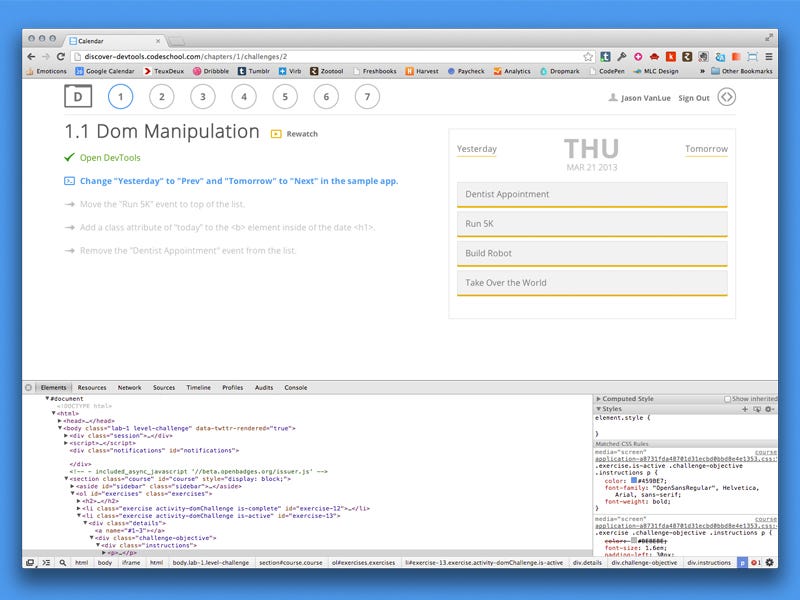
To debug client-side JavaScript, we use the developer tools built into browsers. The inspector panel is available in most browsers and lets you see the source code of web pages. You can check when JavaScript runs, print debug states to the console and see things like network requests and other resources.
Here’s a tutorial on using Chrome’s developer tools. If you’re using Firefox, you can check out this tutorial.
Practicing the basics
At this point, you haven’t learned that much about JavaScript yet. Still, the last section had a huge amount of information. I think it’s a good time to take a break and run some small experiments. They should help solidify some of the concepts you just learned.
Experiment 1
For experiment 1, go to AirBnB, open your browser’s inspector tools and click on the console tab. Here you can run JavaScript on the page. What we’re going to do is have some fun manipulating a few of the elements on the page. See if you can do all of the following DOM manipulations.

I picked the AirBnB site because the CSS class names are relatively simple and aren’t obfuscated by a compiler. But you can do this on any page you want.
- Select a header tag with a unique class name and change its text
- Select any element on the page and remove it
- Select any element and change one of its CSS properties
- Select a specific section and move it 250 pixels down
- Select any component, like a panel, and adjust its visibility
- Define a function called
doSomethingwith a “Hello world” alert and then run it - Select a paragraph, add a click _ event listener_ to it and run something every time it’s clicked
If you get stuck, use the JavaScript Functions and Helpers guide as a reference. I based most of these tasks on it, and below is an example of how to complete the first bullet:
var header = document.querySelector('.text-branding')
header.innerText = ‘Boop'
The main goal of this experiment is to put into practice some of the things you learned about JavaScript and DOM manipulation.
Experiment 2
Using CodePen, write some basic JavaScript that uses DOM manipulation and needs some programming logic to work. The focus of this experiment is to take some of the things you learned in From Zero to Front-End Hero and combine them with JavaScript. Here are a few examples for reference that might inspire you.
More JavaScript
Now that you know some JavaScript and have had a bit of practice, let’s move on to more advanced concepts. The concepts below aren’t directly related to each other. I grouped them in this section because they’re needed to understand how to build more complex Front-End systems. You’ll get a better sense of how to put them to use when you reach the experiments and Frameworks section.
Language
As you build more projects with JavaScript, you’ll run into some higher level concepts. Here’s a list of a few of them. When you have time, go through all of them. Eloquent JavaScript also covers a lot of this material, in case you want to round out your learning.
- Prototypal inheritance
- Scoping
- Closures
- The event loop
- Event bubbling
- Apply, call, and bind
- Callbacks and promises
- Variable and function hoisting
- Currying
Imperative vs. Declarative
There are two kinds of approaches to how JavaScript interacts with the DOM: imperative and declarative. On one hand, declarative programming focuses on what happens. On the other hand, imperative programming focuses on what and also on how.
var hero = document.querySelector('.hero')
hero.addEventListener(‘click’, function() {
  var newChild = document.createElement(‘p’)
  newChild.appendChild(document.createTextNode(‘Hello world!’))
  newChild.setAttribute(‘class’, ‘text’)
  newChild.setAttribute(‘data-info’, ‘header’)
  hero.appendChild(newChild)
})
}
This is an example of imperative programming, where we manually query an element and keep its state in the DOM. In other words, we’re focusing on how to get something done. The biggest problem with this code is that it’s fragile. If someone changes the class name in the HTML from hero to villain, the event listener won’t work anymore, since the hero class won’t exist in the DOM.
Declarative programming solves this problem. Instead of selecting elements, you leave that to the Framework or Library you’re using. This lets you focus on what instead of how. To read more, check out The State Of JavaScript: A Shift From Imperative To Declarative and Three D’s of Web Development #1: Declarative vs. Imperative.
This guide teaches the imperative approach first, before introducing the declarative approach with frameworks like Angular and libraries like React. I recommend learning in this order because it lets you see the problem the declarative approach solves.
Ajax
Throughout these articles and tutorials, you’ve probably seen the term Ajax mentioned a few times. Ajax is a technique that lets web pages interact with the server using JavaScript.

For example, when you submit a form on a website, it collects your input and makes an HTTP request that sends data to a server. When you post a tweet on Twitter, your Twitter client makes an HTTP request to the Twitter API server and updates the page with the server’s response.
For reading about Ajax, see What is Ajax. If you still haven’t fully grasped the concept, take a look at Explain it like i’m 5, what is Ajax. If that’s still not enough, you can read Eloquent JavaScript’s chapter on HTTP.
Today, the browser standard for making HTTP requests is Fetch. You can read more about Fetch in this article by Dan Walsh. It covers how Fetch works and how to use it. You can also find a Fetch polyfill with its documentation here.
jQuery
So far, you’ve been doing DOM manipulation using only JavaScript. But there are several DOM manipulation libraries that provide APIs to simplify the code you write.
One of the most popular DOM manipulation libraries is jQuery. Keep in mind that jQuery is an imperative library. It was written before Front-End systems became as complex as they are today. Nowadays, complex user interfaces are managed with declarative frameworks, using libraries like Angular and React. Still, I recommend you learn jQuery because you’ll probably run into it many times during your career as a Front-Ender.
To learn the jQuery basics, check out jQuery’s Learning Center. It’s a step-by-step walkthrough of important concepts like animations and event handling. If you want an interactive tutorial, you can try the Codecademy’s jQuery course.
Keep in mind, jQuery isn’t always the solution for imperative DOM manipulation. PlainJS and You Might Not Need jQuery are two sites that show JavaScript functions equivalent to frequently used jQuery functions.
ES5 vs. ES6
Another important concept to understand about JavaScript is ECMAScript and how it relates to JavaScript. There are two main flavors of JavaScript you’ll run into today: ES5 and ES6. They’re ECMAScript standards that JavaScript uses. You can think of them as versions of JavaScript. The ES5 final draft was finalized in 2009 and it’s what we’ve been using up to now.
ES6, also known as ES2015, is the new standard that brings new language constructs like constants, classes and template literals to JavaScript. It’s important to note that ES6 brings new language features, but we still define things semantically in terms of ES5. For example, classes in ES6 are merely syntactical sugar over JavaScript’s prototypal inheritance.
It’s essential to know both ES5 and ES6, since you’ll see applications that use one or the other. A good introduction to ES6 is ES5, ES6, ES2016, ES.Next: What’s going on with JavaScript versioning and Dan Wahlin’s Getting Started with ES6: The Next Version of JavaScript. After that, you can see a full list of changes from ES5 to ES6 at ES6 Features. If you want even more, check out this GitHub repository about ES6 features.
More practice
If you’ve made it this far, give yourself a pat on the back. You’ve already learned a lot about JavaScript. Let’s put what you learned into practice.
Experiment 3
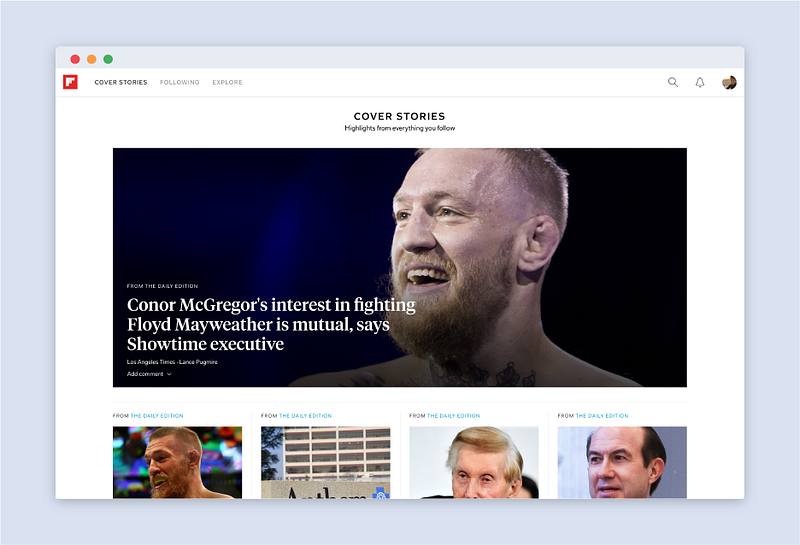
Experiment 3 will teach you how to use skills like DOM manipulation and jQuery. For this experiment, we’ll take a more structured approach and copy the Flipboard homepage using the Codecademy tutorial, Flipboard’s home page and add interactivity with JavaScript.
During the tutorial, focus on understanding how to build an interactive website, when to make it interactive and how to apply jQuery.
Experiment 4
Experiment 4 combines what you learned about HTML and CSS with your introductory JavaScript course. For this experiment, you’ll build a clock with your own style and make it interactive using JavaScript. Before you start, I recommend reading Decoupling Your HTML, CSS, and JavaScript to learn the basics of CSS naming once JavaScript gets thrown into the project. I also put together a list of pens on CodePen for you to use as a reference for this experiment. For more examples, search for clock on CodePen.
You can do this experiment in two ways:
- Start by designing and building the layout in HTML and CSS, and add interactivity with JavaScript.
- Write the JavaScript logic first and then move on to the layout.
You can use jQuery, but feel free to use plain JavaScript.
JavaScript Frameworks
Now that you know the JavaScript basics, it’s time to learn about JavaScript Frameworks.
Frameworks are JavaScript libraries that help you structure and organize your code. They give developers repeatable solutions to complex Front-End problems, like state management, routing and performance optimization. They’re commonly used to build web apps.
I’m not going to include a description of every JavaScript framework. But here’s a quick list of a few Frameworks:
You don’t have to learn all the Frameworks. Pick one and learn it well. Don’t focus on the Frameworks themselves. Instead, understand their programming philosophies and the principles they’re built on.
Architectural Patterns
Before looking at Frameworks, it’s important to understand some architectural patterns they commonly use: model-view-controller, model-view-viewmodel and model-view-presenter. These patterns are designed to create a clear separation of concerns between the layers of the application.
Separation of concerns is a principle that suggests splitting the application into specific layers. For example, instead of the HTML holding the application state, you can use a JavaScript object (usually called model) to store the state.
To learn more about these patterns, first read about MVC on Chrome Developers. Then, read Understanding MVC And MVP (For JavaScript And Backbone Developers). In that article, don’t worry about learning Backbone, just look at the parts with the MVC and MVP explanations.
Addy Osmani also wrote about MVVM in Understanding MVVM: A Guide For JavaScript Developers. To learn more about the origins of MVC and why it came about, read Martin Fowler’s essay called GUI Architectures. Finally, read the JavaScript MV* Patterns section in Learning JavaScript Design Patterns, a fantastic online book.
Design Patterns
JavaScript Frameworks don’t reinvent the wheel. Most of them rely on design patterns. You can think of design patterns as templates for solving common problems in software development.
Since understanding design patterns in JavaScript isn’t a prerequisite for learning a Framework, I suggest going through the following list at some point.
Understanding and being able to implement a few of these design patterns will not only make you a better developer, but also help you understand what some Frameworks are doing behind the scenes.
AngularJS
AngularJS is an MVC Framework and sometimes an MVVM Framework. It’s maintained by Google and it shook up the JavaScript community when it was released in 2010.
Angular is a declarative Framework. The reading that helped me the most to understand the shift from imperative to declarative programming in JavaScript was How is AngularJS different from jQuery on StackOverflow.
If you want to learn more about Angular, check out the documentation. They also have a tutorial called Angular Cat that lets you jump into coding right away. A more complete guide to learning Angular can be found in this GitHub repository by Tim Jacobi. Also, check out the best practice styleguide, written by John Papa.
React + Flux
Angular solves many problems developers face when building complex Front-End systems. Another popular tool is React, which is a library for building user interfaces. You can think of it as the V in MVC. Since React is just a library, it’s often paired with an architecture known as Flux.

Facebook developed React and Flux to address some of the shortcomings of MVC and its scalability problems. Take a look at their talk known as Hacker Way: Rethinking Web App Development at Facebook. It talks about the future and the origins of Flux.
To get started with React + Flux, first learn React. A good start is the React documentation. After that, check out React.js Introduction For People Who Know Just Enough jQuery To Get By to help you transition away from the “jQuery mindset”.
Once you have a basic understanding of React, start learning Flux. A good place to start is the official Flux documentation. Then check out Awesome React, a curated list of links that will help you take your learning even further.
Practicing with Frameworks
Now that you have a basic knowledge of Frameworks and architectural patterns, it’s time to put them into practice. During these two experiments, focus on applying the architectural concepts you learned. Keep your code DRY, with a clear separation of concerns, and use the single responsibility principle.
Experiment 5
This experiment is about taking apart and rebuilding the Todo MVC app using framework-agnostic JavaScript. In other words, keep the JavaScript plain, without a Framework. The goal of this experiment is to show how MVC works without mixing in Framework-specific syntax.
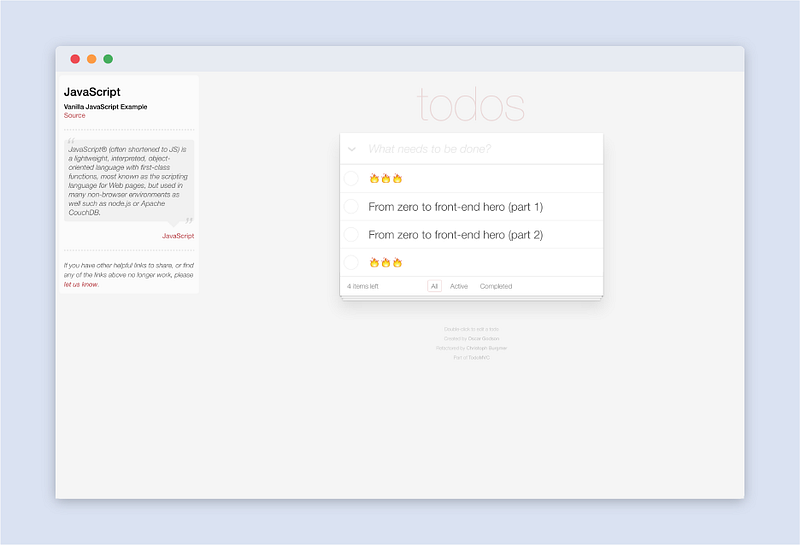
To start, check out the final result on TodoMVC. The first step is to create a new local project and first set up the three MVC components. Since this is an experiment, reference the full source code in this GitHub repository. If you can’t fully replicate the project or don’t have the time, that’s fine. Download the code from the repository and play around with the different MVC components until you understand how they relate to each other.
Experiment 6
Experiment 6 is a good MVC application exercise. Understanding MVC is an important step in learning JavaScript Frameworks. Below is a Scotch.io tutorial for building an Etsy clone using Angular.
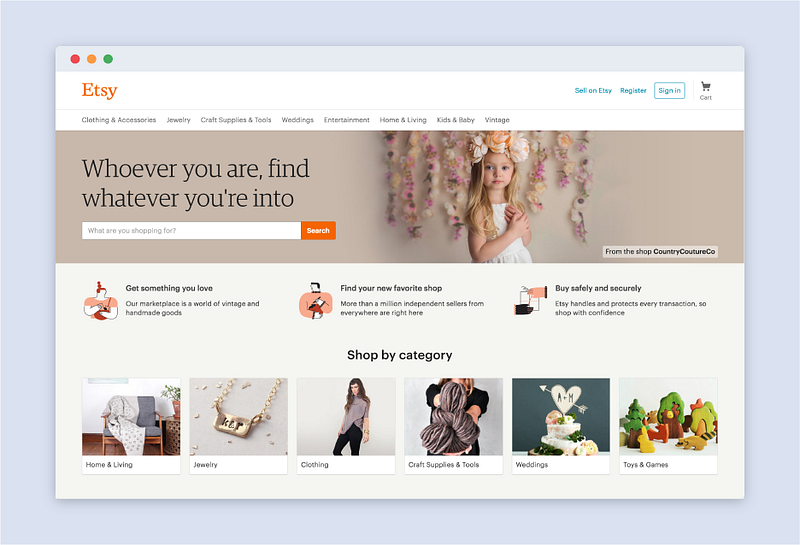
Build an Etsy Clone with Angular and Stamplay will teach you how to build a web app using Angular, interface with APIs and structure large projects. After finishing this tutorial, you should be able to answer the following questions:
- What is a web app?
- How are MVC/MVVM applied with Angular?
- What is an API and what does it do?
- How do you organize and structure large codebases?
- What are the advantages of adding directive components to your UI?
If you want to build other web apps using Angular, try Build a Real-Time Status Update App with AngularJS & Firebase.
Experiment 7
Now that you understand MVC, it’s time to try Flux. Experiment 7 will build a todo list using the React and Flux architecture. You can find the full tutorial on the Facebook’s Flux documentation site. It walks you step by step through using React to build interfaces and how Flux is applied to build web apps.
After you complete that tutorial, you can try other related tutorials like How to Build a Todo App Using React, Redux, and Immutable.js and Build a Microblogging App With Flux and React.
Stay up to date
Just like the rest of Front-End, the JavaScript landscape changes fast. It’s important to always stay one step ahead.
Below is a list of websites, blogs and forums that are informative and enjoyable to read.
Learn by example
As always, the best way to learn is by example.
Styleguides
JavaScript styleguides are code conventions developed to help you keep your code readable and easy to maintain.
- AirBnB JavaScript Styleguide
- Principles of Writing Consistent, Idiomatic JavaScript
- Node Styleguide
- MDN Coding Style
Codebases
I can’t stress enough how useful it is to read good code. Learn how to search GitHub for relevant repositories whenever you’re looking into something new.
Final thoughts
By the end of this guide, you should have a solid understanding of JavaScript fundamentals and how to apply them on the Web. Remember, this guide gives you a general map of the path. If you want to become a Front-End hero, it’s important that you spend time working on projects to apply these concepts. The more projects you build, and the more you fall in love with them, the more you’ll learn.
This article is the second part of a two-part series. What’s missing from this guide is an introduction to Node, a platform that lets JavaScript run on servers. In the future, I may write a part three about server-side development with Node and things like noSQL databases.
About this article
This text was a loose translation of the fantastic article From Zero to Front-End Hero (Part 2) published on Medium by @jonathanzwhite.
So I want to thank him, first for writing this great piece, and second for allowing me to translate it.
It’s worth pointing out that the translation isn’t literal, I adapted a few parts to make it easier to follow. If you find any serious translation errors, you can open a pull request with the fix or an issue telling me where the error is.